Skip to content

Remodeling SEO guide · 2026

Kitchen & bath remodeling SEO for Google, Maps and AI search.

A kitchen or bathroom remodel starts months before the first phone call. Homeowners collect ideas, look up costs, ask AI tools and read reviews long before they pick a remodeler. This guide covers how kitchen and bath companies show up through all of it in 2026, from your Google Business Profile and project pages to cost guides, reviews and AI answers, plus a 90-day plan to get started.

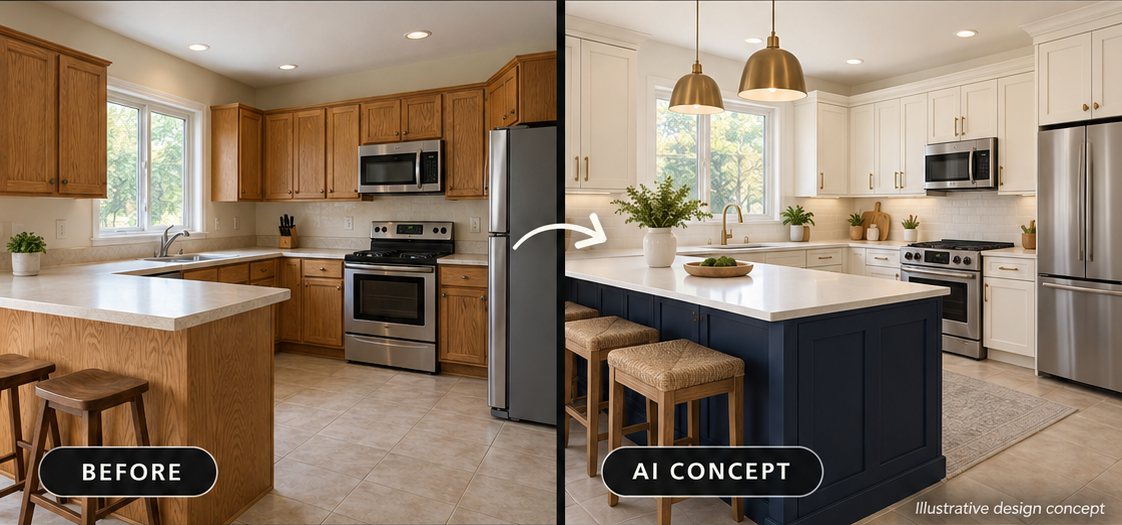
Remodeled kitchen with wood cabinets, a large island, and pendant lights.
Be the remodeler they find while they plan.

Remodeling SEO in 60 seconds

  • What it is: remodeling SEO is the work of showing up when homeowners search for kitchen and bathroom remodeling in the towns you serve, on Google Search, Google Maps and AI assistants.
  • It’s a long decision: Houzz users spent about 9.5 months planning a kitchen remodel and 8.4 months planning a primary bathroom [1]. Your website has to help them the whole way.
  • Two kinds of searches: hiring searches like “bathroom remodeling near me” show a map pack; planning searches like “bathroom remodel cost” show an AI Overview [2]. You need a strong profile for one and strong answers for the other.
  • The big levers: a complete Google Business Profile, a page for each project type, real project galleries, honest cost guides and steady reviews [3].
  • AI search: Google says there are no extra requirements to appear in AI Overviews or AI Mode [4]. AI tools pull from your website, your listings and your reviews [5], so the same work pays off twice.
  • How to judge it: by booked design consultations and signed projects, not by rankings alone.

Summarize this guide with AI

Gemini and Copilot open with the prompt copied. Paste it in to start.

What is remodeling SEO?

Remodeling SEO (search engine optimization for remodeling companies) is the work of making your kitchen and bath company easy to find, and easy to choose, when homeowners search online for remodeling in your area. It covers three places: the map results, which run on your Google Business Profile; the regular website results, which run on your website; and AI answers from Google AI Overviews, AI Mode, ChatGPT, Gemini and Perplexity, which pull from both.

It is not the same as the ads at the top of the page. In the U.S., Local Services Ads are available for kitchen remodeling, bathroom remodeling and general contractors [6], and they’re paid by the lead. Google’s published schedule also moves Local Services Ads into Google Ads as Performance Max campaigns with pay-per-lead goals, starting with select home and storefront service advertisers in the U.S. in August 2026 and expanding to broader groups in late 2026 [7]. Ads can work well next to SEO, but you’re renting that spot. SEO is the part you own.

Where a kitchen and bath company can show up. The order and mix change by search and location. Everything except the ads at the top is earned through SEO.

Why remodeling SEO matters for kitchen and bath companies

Homeowners search for remodeling help in big numbers, all year. These are U.S. monthly search volumes for common hiring searches, pulled from Ahrefs for this guide [2]:

Monthly U.S. searches for kitchen and bath remodeling

  1. bathroom remodel104,000
  2. bathroom remodeling near me45,000
  3. kitchen remodel40,000
  4. bathroom renovation24,000
  5. bathroom remodel near me24,000
  6. kitchen renovation21,000
  7. home remodeling near me16,000
  8. shower remodel15,000
  9. kitchen remodel near me15,000
  10. kitchen remodeling near me13,000
  11. bathroom remodeling contractors6,800
  12. kitchen remodeling contractors3,100
  13. kitchen and bath remodeling3,100
National 12-month averages from Ahrefs Keywords Explorer, October 2026. Your share depends on how many homeowners live in your service area. Bathrooms get more searches than kitchens almost everywhere, and in a survey of remodelers by the National Association of Home Builders, bathroom remodels were the most common project of 2025, with kitchens close behind [8].

And these are big, considered purchases, the kind where homeowners want a professional and check them out carefully first:

91%of renovating homeowners worked with at least one professional on their project.
$24,000median spend on a kitchen remodel in 2025; $15,000 for a primary bathroom.
97%of consumers read reviews for local businesses.
45%have used ChatGPT or other AI tools for local recommendations, up from 6% a year earlier.

Sources: 2026 U.S. Houzz & Home Study, renovating Houzz users [1]; BrightLocal, Local Consumer Review Survey 2026, 1,002 U.S. adults [9].

The market itself isn’t growing much. Harvard’s Joint Center for Housing Studies projects about $519 billion in U.S. homeowner spending on improvements and repairs over the four quarters ending in mid-2027, with growth slowing to about half a percent [10]. In a flat market, the remodelers who get found while homeowners are planning win a bigger share of the work, without paying for every click.

Remodeling is a long decision

Roofing and HVAC calls often come from a problem that can’t wait. Remodeling is different. Nothing is broken; the homeowner wants something better, and they take their time getting there:

How long homeowners spend before and during a remodel

  1. Kitchen remodel9.5 months planning5.8 building
  2. Primary bathroom8.4 months planning4.8 building
Average months spent, renovating Houzz users, 2025 projects. Source: 2026 U.S. Houzz & Home Study [1]. Most of a remodel’s timeline happens before anyone swings a hammer, and that is when homeowners are searching.

That long runway shows up in search data. Unlike HVAC, where searches spike with the weather (see our HVAC SEO guide), remodeling searches stay remarkably even through the year:

Remodeling searches don’t have a season

  • “kitchen remodel”
  • “bathroom remodel”
U.S. monthly searches, October 2025 to September 2026, Ahrefs estimates [2]. “Kitchen remodel” ran between 37,169 and 42,205 a month; “bathroom remodel” between 95,231 and 116,735. Busy and slow months differ by less than a quarter.

Two practical lessons follow. First, there’s no “off season” to wait for; the work you put into pages and reviews keeps paying all year. Second, the homeowner who finds your cost guide in March may not call until September. Give them reasons to come back, and a low-pressure next step, like a design consultation or a visit to your showroom, when they’re ready.

It also explains why Google treats remodeling searches so differently depending on what the homeowner is asking:

Hiring searches

“bathroom remodeling near me”

16 of 16showed a map pack.
None showed an AI Overview.

They want a company. Google answers with nearby businesses, so your Business Profile does the work.

  • bathroom remodel
  • bathroom remodeling near me
  • kitchen remodel
  • bathroom renovation
  • bathroom remodel near me
  • kitchen renovation
  • home remodeling near me
Planning searches

“bathroom remodel cost”

11 of 11showed an AI Overview.
Only one also showed a map pack.

They want an answer. Google writes one and cites the pages it trusts, so your guides do the work.

  • walk in shower
  • kitchen design
  • bathroom remodel ideas
  • small bathroom remodel
  • kitchen island ideas
  • kitchen remodel ideas
  • kitchen remodel cost
What Google showed for 27 common remodeling searches, from Ahrefs’ most recent check of each U.S. results page [2]. Results change by location and over time, but the pattern is clear: you need a strong profile for hiring searches and strong answers for planning searches.

How Google decides which remodelers to show

Google says local results are based mainly on three things [11]: relevance (how well a Business Profile matches the search), distance (how far the business is from the person searching) and prominence (how well known the business is). Google also says there’s no way to request or pay for a better local ranking [11].

Relevance

How well your profile and pages match what was searched.

  • A remodeling primary category
  • Kitchen and bath services listed
  • A page for each project type

Distance

How far you are from the person searching, or the place they name.

  • You can’t change it
  • Map pack favors nearby companies
  • Project pages reach farther towns

Prominence

How well known and trusted your company is, online and off.

  • Review count, rating and recency
  • Associations, awards and local press
  • Listings that match everywhere
Google’s three local ranking factors, applied to remodeling. Definitions from Google’s Business Profile help [11].

For more detail, look at what local SEO specialists rank highest. In Whitespark’s 2026 Local Search Ranking Factors survey of 47 experts [3], the top factors for the map pack were the primary Business Profile category, the searcher’s distance from the business, keywords in the business name, a physical address in the city being searched, and whether the business is open at the time of the search. For the regular website results, the top factors were a dedicated page for each service, content relevant to the city or neighborhood, and the quality of links pointing to the site.

About keywords in your business name: it’s a known ranking signal, but adding words that aren’t part of your real name, like “Best Kitchen Remodeling Denver,” breaks Google’s guidelines [12] and can get your profile suspended. If “Kitchen & Bath” is in your legal name and on your trucks, great. If it isn’t, don’t add it.


Step 1: Get your Google Business Profile right

Your Google Business Profile is what shows up in the map pack and in the panel when someone searches your name. For hiring searches like “kitchen remodel near me,” it’s the first thing homeowners see. Get these right first:

  • Use your real business name. Google doesn’t allow adding service or location details to the name [12].
  • Pick the primary category that matches most of your work, such as a kitchen or bathroom remodeling category, or general contractor if that’s what you are. Add secondary categories only for work you really do. Google’s advice is to use as few categories as possible, and it says the categories you pick affect your local ranking [13].
  • Showroom or service area? If clients visit your showroom, keep the address visible. If they never come to your office, hide it and list your service areas instead; you can list up to 20, kept within about two hours’ drive of your base [14].
  • List every service with a short description: kitchen remodeling, bathroom remodeling, shower and tub conversions, cabinets, countertops, design services and anything else you sell. Google lets you add custom services with a price and description [15].
  • Add your own project photos, often. Google asks for photos that are in focus and well lit and says they “should represent reality” [16]. Its content policy asks people to avoid stock photos and to create media at the location [17]. For a remodeler, that means your rooms, your crew, your showroom.
  • Keep hours honest, including showroom hours and appointment-only times.
  • Match your website: the same business name, phone number and address or service area.

Then do the same on the other maps. Bing Places for Business can import your listing from Google [18], and Apple Business (formerly Apple Business Connect) puts you on Apple Maps [19]. Each takes about an hour, and both feed results outside Google.

Designer showing material samples to a couple in a kitchen showroom.

Step 2: Build a website that books consultations

Your Business Profile gets you seen nearby. Your website does the heavy lifting: it ranks for planning searches the map doesn’t cover, reaches towns farther from your showroom, and it’s where a homeowner decides whether to trust you with a five-figure project in their home. A strong remodeling website has:

  • Speed and stability, even with big photo galleries. Google’s Core Web Vitals targets are a Largest Contentful Paint within 2.5 seconds, an Interaction to Next Paint of 200 milliseconds or less, and a Cumulative Layout Shift of 0.1 or less [20]. Compress images and size them for the screen.
  • A clear next step on every page: book a design consultation, visit the showroom or call. Ask for the project type, the town and a rough timeline, not a 20-field form.
  • Trust details homeowners look for: your license where your state requires one, insurance, warranties, years in business, the designers on your team and the associations you belong to.
  • Lead-safe certification, if you work in older homes. EPA requires firms paid to disturb paint in homes built before 1978 to be certified [21]. Certified firms can show EPA’s Lead-Safe logo on their websites and ads; “Firms that are not RRP-certified may not use the logo” [22].
  • Careful financing language. If you advertise installment financing with a payment like “$199 a month,” federal Truth in Lending rules require the ad to also state the down payment, the repayment terms and the APR [23]. Check payment examples with your lender before you publish them.
  • Technical basics: HTTPS, one page per topic, an XML sitemap submitted in Google Search Console, and no accidental blocks on search crawlers.

Add structured data so search engines can read your business details without guessing. Schema.org doesn’t have a type just for remodelers; the closest fit for most kitchen and bath companies is GeneralContractor [24], one of the home and construction business types [25]. A basic version looks like this:

{
  "@context": "https://schema.org",
  "@type": "GeneralContractor",
  "name": "Your Kitchen & Bath Company",
  "url": "https://www.example.com/",
  "telephone": "+1-555-555-0100",
  "address": {
    "@type": "PostalAddress",
    "streetAddress": "100 Showroom Way",
    "addressLocality": "Your Town",
    "addressRegion": "ST",
    "postalCode": "00000"
  },
  "areaServed": ["Town One", "Town Two", "Town Three"],
  "openingHours": "Mo-Fr 09:00-17:00",
  "sameAs": [
    "https://www.houzz.com/professionals/your-listing",
    "https://www.facebook.com/yourpage"
  ]
}

Structured data helps search engines understand you, but it isn’t a ranking shortcut, and Google says no special markup is needed to appear in its AI features [4].

Designer reviewing plans with a couple at a marble kitchen island.

Step 3: One page for every project type

A single “Services” page can’t rank for kitchen remodeling, bathroom remodeling and tub-to-shower conversions all at once. Each is a separate search with its own intent, and “a dedicated page for each service” was the top factor for local website rankings in Whitespark’s 2026 survey [3]. Many project types get enough searches to deserve a page of their own [2]:

Monthly U.S. searches for specific kitchen and bath projects

  1. walk in shower43,000
  2. walk in tub29,000
  3. cabinet refacing19,000
  4. shower remodel15,000
  5. shower replacement7,700
  6. curbless shower6,700
  7. tub to shower conversion6,400
  8. bathtub replacement4,200
  9. bathroom vanity installation2,500
National 12-month averages from Ahrefs Keywords Explorer, October 2026. Build pages only for the work you actually do and want more of.

A typical kitchen and bath company needs pages for:

  • Kitchen remodeling
  • Bathroom remodeling
  • Primary bathrooms
  • Walk-in showers & tub-to-shower conversions
  • Accessible & aging-in-place bathrooms
  • Cabinets & refacing
  • Countertops
  • Design services & showroom
  • Basement & guest baths

Keep your hiring pages and your planning guides apart. They answer different searches from homeowners at different points in the decision:

Service page

“bathroom remodeling near me”

They’re ready to talk to remodelers. Make it easy to trust you and take the next step.

  • What you remodel, and what you don’t
  • Towns you serve and your showroom, if you have one
  • Real before-and-after photos from your jobs
  • Your process, from design to final walkthrough
  • Reviews from bathroom clients, and a consultation button
Planning guide

“bathroom remodel cost”

They’re months out, building a budget and a wish list. Be the most useful answer they find.

  • A clear answer in the first two sentences
  • Honest ranges for your market and what moves them
  • Example projects with scope and budget band
  • Timelines, permits and how to prepare
  • A soft next step: a cost checklist or a design visit
Two kinds of remodeling searches, two kinds of pages. Link them to each other so planners can move to your service page when they’re ready.

Then build each service page around what a homeowner needs to decide, not around a keyword count:

  1. Clear headline. The project type and the area you cover.
  2. Short answer first. What you do, who it’s for and how a project starts.
  3. Before-and-after photos. Your own jobs, labeled by town and scope.
  4. What’s included. Design, permits, demo, plumbing, tile, finish work.
  5. Typical budgets. Honest ranges and what moves them.
  6. Process and timeline. Design, selections, ordering, build.
  7. Reviews about this kind of project. From real clients.
  8. FAQs. The questions you hear in every first meeting.
  9. Consultation and showroom. Visible on every screen size.
Anatomy of a remodeling service page. One page per project type, built around what a homeowner needs to decide.

Lead each page with a two- or three-sentence answer, written the way homeowners talk: “turn our tub into a walk-in shower,” “open up the kitchen,” “make the bathroom safer for my parents.” That opening is what both Google and AI assistants are most likely to quote.

Step 4: Turn finished jobs into project pages

Your finished rooms are your best content, and most remodelers bury them in an unlabeled gallery. Homeowners search for proof: “kitchen remodel before and after” and “bathroom remodel before and after” get about 900 and 800 U.S. searches a month [2], and the planning searches around them show image results. Give your best jobs their own pages:

  1. A headline that says what and where. Project type, town and the main change.
  2. Before and after, same angle. Shot on your phone, on site. Name the files and write alt text that describes the room.
  3. The facts homeowners want. Scope, timeline, budget band and the products used.
  4. The homeowner’s words. A short quote or review, with their permission and no full address.
  5. Links both ways. To the matching service page and town page, and back.
Anatomy of a project page. One finished job, written up well, does more than a gallery of 50 unlabeled photos.

Google’s image guidance backs this up: use short, descriptive file names, write alt text that describes the image, and place images near relevant text [26]. “IMG_4471.jpg” on a gallery page tells Google nothing. “primary-bath-curbless-shower-before.jpg” on a page about that project, next to a paragraph about it, tells it a lot. Always get the homeowner’s permission, and leave out house numbers and anything that shows who lives there.

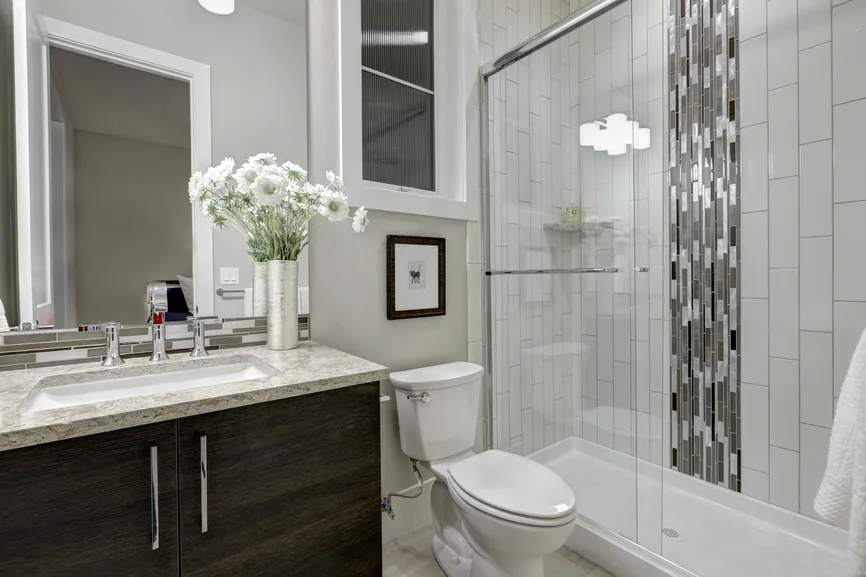
Remodeled bathroom with a glass shower and a tiled accent wall.

Step 5: Town pages without doorway pages

Town pages can help you show up in places farther from your showroom, but the usual shortcut backfires. Google’s spam policies name doorway pages as a violation, including “multiple domain names or pages targeted at specific regions or cities that funnel users to one page” [27]. Fifty copies of the same page with the city name swapped is exactly that.

Build a town page only when you have something real to say about the town:

  • Kitchens and baths you’ve finished there, linked to their project pages.
  • What’s local: the age and style of homes, common layouts, permit and inspection steps, HOA rules.
  • Reviews from clients in that town.
  • Links to your main service pages and an “Areas we serve” page that lists every town you cover.

Start with your core towns, the ones with the most past projects, and add more as your portfolio grows. Our guide to service area SEO for contractors walks through choosing and building them.

Step 6: Earn reviews from every project

Reviews count toward prominence in Google’s local results [11], and they’re what homeowners read before they invite you into their home. BrightLocal’s 2026 survey found that 68% of consumers will only use a business with four or more stars, and 74% look for reviews from the last three months [9]. A remodeler might finish a few jobs a month, not a few a day, so every finished project needs to produce a review:

  1. Final walkthroughPunch list done, the client happy with the room.
  2. Ask the same dayText your direct Google review link while they’re excited.
  3. Client writes itIn their words. Many mention the room, the designer and the crew.
  4. Reply within a few daysThank them by project, or address a problem calmly.
  5. Follow up laterA month on, invite a Houzz or Yelp review and a photo of the room in use.
The review loop for remodelers. You finish fewer jobs than a service trade, so ask after every single one.

Two rules keep that habit safe. Google prohibits paying or rewarding customers for reviews, posting reviews from employees or family, and asking only the customers you expect to be happy [28]. And the FTC’s rule on fake reviews, in effect since October 21, 2024, bans fake reviews, buying positive or negative reviews, undisclosed reviews from insiders and suppressing negative reviews [29], with civil penalties of up to $53,088 per violation [30]. Ask everyone, reward no one, and answer every review in your own voice.

Reviews on other sites matter too, especially for AI search. In BrightLocal’s 2026 study of nearly two million AI citations, Yelp appeared as a source in 80% of ChatGPT answers about local businesses [31]. For remodelers, add Houzz to that list, since it’s built around remodeling projects and the pros who do them. Keep your Houzz, Yelp, BBB, Angi, Facebook and Nextdoor profiles current, and point some happy clients there.

Step 8: Answer the cost and planning questions

Before a homeowner searches “kitchen remodeler near me,” they spend months asking questions, and most of those questions are about money. Of the 40 most-searched remodeling questions Ahrefs returned for this guide, 30 were about cost [2]. Answering them well puts your name in front of homeowners early, gives AI assistants something to quote, and gives your designers a page to send after the first meeting.

Homeowner questions worth a page or guide (U.S. monthly searches, Ahrefs, October 2026)
SearchVolumeWhat to publish
how much does it cost to remodel a bathroom2,300Your bathroom cost guide: real ranges for your market and what moves the price.
how much does a kitchen remodel cost1,900Your kitchen cost guide, with ranges by scope: refresh, mid-range, full gut.
how to remodel a bathroom1,800Your process page: design, selections, demo, rough-in, tile, finish.
how much should a 10x10 kitchen remodel cost800A worked example in your kitchen cost guide.
how long does a kitchen remodel take700A timeline page: design and ordering, then construction weeks.
how long does a bathroom remodel take600Bathroom timeline, including what can push it out (tile, glass, plumbing).
how much does it cost to remodel a small bathroom500A small-bath section with a real project and its budget range.
how to plan a kitchen remodel350A planning checklist that ends with booking a design consultation.
do i need a permit to remodel my bathroom200Permit rules for the towns you serve, and who pulls them.

Remodelers are often afraid to publish prices. You don’t need a price list, but you do need ranges. National figures give you a starting frame:

Kitchen remodel$24,000Median spend in 2025, renovating Houzz users [1].
Primary bathroom$15,000Median spend in 2025, renovating Houzz users [1].
Minor kitchen, midrange$28,458National average job cost; 112.9% recouped at resale [35].
Bath remodel, midrange$26,138National average job cost; 80% recouped at resale [35].
National numbers to frame your own cost guides. Medians come from what homeowners reported spending; Cost vs. Value figures are estimates for a defined project. Neither replaces your local prices, and that’s exactly why your own ranges are worth publishing.

Then write from your own jobs: the ranges you actually quote for a small bath, a primary bath and a full kitchen in your market; what pushes a project up or down (layout changes, cabinet line, tile, plumbing moves); and two or three real examples with their budget band. Google’s guidance is to create content “primarily for people, and not to manipulate search engine rankings” [36], and its spam policies warn against mass-producing pages that add little value, however they’re made [27].

Date your cost guides and update them once a year. Prices move, and a guide that still quotes 2023 numbers costs you trust with homeowners and with the AI tools that quote you. If you mention financing in a cost guide, the same Truth in Lending rules apply to payment examples as in an ad [23].

Step 10: Measure consultations and signed jobs

Map rankings change with where the searcher is standing, so a single rank check tells you very little. And with a long decision, last month’s visitors may become next quarter’s clients. Measure what reaches your calendar and your contracts:

What to trackWhere to find it
Calls, direction requests and website clicks from your profileGoogle Business Profile performance
Searches and clicks for each page and cost guideGoogle Search Console
Consultation requests by page and sourceGoogle Analytics 4
Calls by source (Maps, website, ads)Call tracking
Map visibility across your service areaA grid-based local rank tracker
Consultations held, proposals sent, projects signed and contract value by sourceYour CRM

Review it once a month, but judge SEO on a longer clock: look at the last three to six months of consultations and signed projects by source, not last week’s calls. If a page brings plenty of inquiries but few consultations, it may be attracting the wrong budget; your cost ranges can fix that. The numbers that matter most are cost per consultation and cost per signed project, by source.

How to start: your 90-day remodeling SEO plan

You don’t need to do everything at once. Here is the order we’d follow for a kitchen and bath company starting from a basic website and an unoptimized profile:

Days 1–30

Foundation

  • Audit and fix your Google Business Profile: name, category, services, showroom or service area, hours.
  • Upload 20 or more real project photos to the profile.
  • Set up call tracking, Google Analytics 4 and Search Console.
  • Fix site speed, phone layout and the consultation form.
  • Rebuild your kitchen and bathroom remodeling pages first.
Days 31–60

Proof

  • Publish five to ten project pages from your best recent jobs.
  • Add pages for the project types you want more of.
  • Claim and clean up Houzz, Bing Places, Apple Business, Yelp, BBB and your association listings.
  • Add GeneralContractor structured data.
  • Ask every client from the last year for a review.
Days 61–90

Authority

  • Publish your kitchen and bathroom cost guides with real local ranges.
  • Build one or two town pages for core towns with real projects.
  • Go after local links: suppliers, designers, home shows, local press.
  • Run your first AI visibility check.
  • Send your first monthly report: consultations and signed jobs by source.
A 90-day remodeling SEO plan. After day 90: a new project page every few weeks, a review request after every job, and a monthly look at consultations and signed projects by source.

Set expectations honestly. Fixing a Business Profile can show up in the map results fairly quickly; service pages, project pages, reviews and links build over months, and how fast depends on your competition. Be wary of anyone who promises a spot. Google’s own guidance on hiring an SEO says it plainly: “No one can guarantee a #1 ranking on Google” [39].

Common remodeling SEO mistakes

  • Keyword-stuffed business names like “Best Kitchen Remodeling Denver.” Against Google’s guidelines [12].
  • Stock photos and manufacturer brochure shots passed off as your work [17].
  • A gallery of unlabeled photos instead of project pages with words, places and permission.
  • One “Services” page for kitchens, baths, showers and cabinets.
  • Copy-and-paste city pages with only the town name changed [27].
  • No prices anywhere, so planners get their numbers, and their shortlist, from someone else.
  • “$199 a month!” with none of the required financing details [23].
  • Buying reviews or rewarding them, or asking only happy clients [28].
  • Badges you don’t hold: association logos, Lead-Safe logos or dealer programs you’re not part of [22].

Doing it yourself vs. hiring help

Plenty of remodeling owners handle the basics themselves: the Business Profile, review requests and project photos. The heavier lifting, like project pages, cost guides, technical fixes, structured data, links and tracking, is where most owners either block out real time every week or hire help. If you hire, ask these questions:

  • Who owns the Business Profile, website, domain and accounts? You should.
  • How will you report? Consultations and signed projects by source, not only rankings.
  • Who writes the project pages and cost guides, and how will you get the details from us?
  • How do you get reviews and links? If the answer involves buying either, walk away.
  • Do you guarantee rankings? The right answer is no. Google warns to beware of SEOs that claim to guarantee rankings [39].

Remodeling SEO FAQ

How long does remodeling SEO take to work?

Fixes to your Google Business Profile can show up in the map results within weeks. Service pages, project pages, reviews and links usually take several months to build momentum, and the timeline depends on how many remodelers compete in your area. Because homeowners plan a remodel for months, judge results over three to six months of consultations and signed projects. Be cautious of anyone who promises a ranking by a date: Google says no one can guarantee a #1 ranking.

How much does SEO for a remodeling company cost?

It depends on how much you do yourself and how competitive your market is. The basics, like your Business Profile, review requests and project photos, cost mostly time. Agencies usually charge a monthly fee that covers pages, technical work, links and reporting. The better comparison is cost per signed project from SEO versus from ads or lead services.

Should a remodeler publish prices on its website?

Publish ranges, not a price list. Thirty of the 40 most-searched remodeling questions we found were about cost. Give honest ranges for the project types you do in your market, explain what moves the price, and show a few real projects with their budget band. Homeowners who can’t find a number on your site will get one, and a shortlist, from someone else.

Do kitchens and bathrooms need separate pages?

Yes. Kitchen remodeling, bathroom remodeling, walk-in showers, tub-to-shower conversions, cabinets and countertops are different searches from homeowners with different goals. Give each project type you want more of its own page, and keep planning guides like cost pages separate from service pages.

Should my Business Profile show my showroom address?

If clients visit your showroom, yes. Google lets service-area businesses hide their address only when they don’t serve customers there. If you work only at clients’ homes, hide the address and list up to 20 service areas, kept within about two hours’ drive of your base.

Are Google Local Services Ads part of remodeling SEO?

No. In the U.S., Local Services Ads are available for kitchen remodeling, bathroom remodeling and general contractors, and they’re paid by the lead. Google’s published schedule moves them into Google Ads as pay-per-lead campaigns, starting with select home and storefront service advertisers in August 2026. They work well alongside SEO, but they stop when you stop paying.

How do I get my remodeling company recommended by ChatGPT and other AI tools?

Make your business facts consistent across your website and listings, keep your Google, Bing, Apple, Houzz, Yelp, BBB and association listings complete, earn reviews on more than one platform, put clear answers at the top of your pages and cost guides, and don’t block OpenAI’s search crawler, OAI-SearchBot, in robots.txt. Then check every month what AI tools say about you and fix wrong facts at the source.

Can I use manufacturer or stock photos on my website and profile?

Use your own project photos wherever you can. Google asks for Business Profile photos that represent reality, and its content policy asks people to avoid stock photos. Manufacturer images can help explain a product, but label them as product photos and never present them as your own work.

Sources

We link every fact in this guide to the page it came from. Search volumes are Ahrefs estimates for the United States. Houzz figures come from surveys of Houzz users.

  1. Houzz: 2026 U.S. Houzz & Home Study, Renovation Trends (April 22, 2026; survey of Houzz users)
  2. Ahrefs Keywords Explorer: U.S. search volumes, monthly history and results-page features pulled by ECHVO, October 2026
  3. Whitespark: Local Search Ranking Factors 2026 (November 6, 2025)
  4. Google Search Central: AI features and your website
  5. Yext Research: 86% of AI citations come from brand-managed sources (October 9, 2025)
  6. Google Local Services Ads Help: Getting started with Local Services Ads (United States)
  7. Google Ads Help: Local Services Ads moving to Google Ads (2026)
  8. NAHB: Top remodeling projects of 2025 (February 2026)
  9. BrightLocal: Local Consumer Review Survey 2026 (February 11, 2026)
  10. Harvard Joint Center for Housing Studies: Leading Indicator of Remodeling Activity (July 23, 2026)
  11. Google Business Profile Help: Tips to improve your local ranking on Google
  12. Google Business Profile Help: Guidelines for representing your business on Google
  13. Google Business Profile Help: Business categories
  14. Google Business Profile Help: Service areas for service-area businesses
  15. Google Business Profile Help: Edit the services you offer
  16. Google Business Profile Help: Add or edit photos and videos
  17. Google Maps User Contributed Content Policy: Photo and video guidelines
  18. Microsoft Bing: Introducing the new Bing Places for Business (October 2025)
  19. Apple Business
  20. web.dev: Web Vitals
  21. U.S. EPA: Lead Renovation, Repair and Painting Program
  22. U.S. EPA: Lead-Safe Certification firm logo use guidelines
  23. Consumer Financial Protection Bureau: Regulation Z § 1026.24, Advertising
  24. Schema.org: GeneralContractor
  25. Schema.org: HomeAndConstructionBusiness
  26. Google Search Central: Google image SEO best practices
  27. Google Search Central: Spam policies for Google web search
  28. Google Maps User Contributed Content Policy: Prohibited and restricted content
  29. Federal Trade Commission: Final rule banning fake reviews and testimonials (August 14, 2024)
  30. Federal Trade Commission: FTC warns 10 companies about possible violations of the Consumer Review Rule (December 22, 2025)
  31. BrightLocal: Top sources and directories for local AI search (August 26, 2026)
  32. NARI: Find a Remodeler
  33. NKBA: Find an NKBA Designer
  34. U.S. EPA: How can I find a lead-safe certified firm?
  35. JLC: Cost vs. Value Report 2025, national averages
  36. Google Search Central: Creating helpful, reliable, people-first content
  37. OpenAI: Overview of OpenAI crawlers
  38. Houzz: 2026 U.S. State of AI in Construction and Design (September 2026; survey of Houzz users)
  39. Google Search Central: Do you need an SEO?
  40. Google Search Central: Preferred sources

See more ECHVO guides in Google

Add ECHVO as a preferred source, and Google will be more likely to show our articles in Top Stories when they’re relevant to your searches [40].

Add ECHVO as a preferred source on Google

Free remodeling SEO audit

Are you the remodeler
they find while planning?

We’ll check your Google Business Profile, service and project pages, reviews and local rankings for the towns you serve, then show you what to fix first. No cost, no obligation.

Get your free remodeling SEO audit

Send your website and the towns where you want more kitchen and bath projects.

By submitting this form, you agree that ECHVO may call and email you at the phone number and email you provide about your request and our services, including with automated technology. Consent is not a condition of purchase.

Thank you. Your request has been sent, and we’ll be in touch to find a time to talk.

Something went wrong while sending your request. Please try again, or email info@echvo.com.