They see their own room
Not a gallery of someone else's project. Their kitchen, their layout, their windows, in the style and finishes they picked.
AI kitchen & bath designer for your website
Put an AI designer on your website. Homeowners upload a photo, choose a style, cabinets, countertops and backsplash, and see their own kitchen or bathroom redesigned in about 30 seconds. To see it, they leave their name, phone, email and ZIP. You get the lead, the photo and the design.
Made by the tool from a stock photo · example lead
Tick “Install it for me” at checkout and our team puts the designer on your website, matches your colors and tests it with you. No developer, no code, no extra charge.
Why it works
Homeowners browse your photos, can't picture their own kitchen, and leave. The designer gives them a reason to stay, and a reason to hand you their details.
Not a gallery of someone else's project. Their kitchen, their layout, their windows, in the style and finishes they picked.
A contact form feels like a sales call. A free design of their own kitchen is worth a name and a phone number.
Every lead arrives with their photo and the style, cabinets, countertop and backsplash they chose, before your first call.
Live demo
This is the exact tool your visitors will use, running live. It asks for details first, because that's how the lead reaches you.
Like it? It can be on your website today, installed free. Start your free trial
What homeowners can design
Eight styles shown with real photos, then the finishes homeowners actually ask about. Behind the scenes, every choice becomes a detailed design brief for the AI, so the result looks like what they picked.
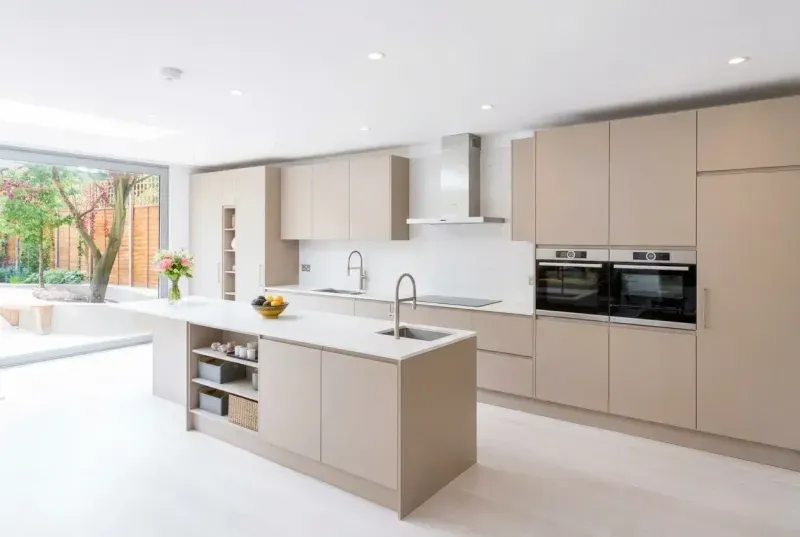
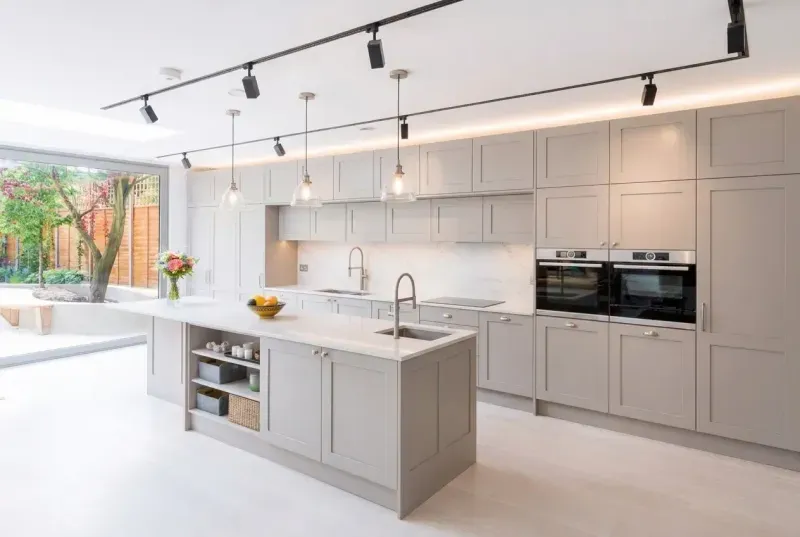
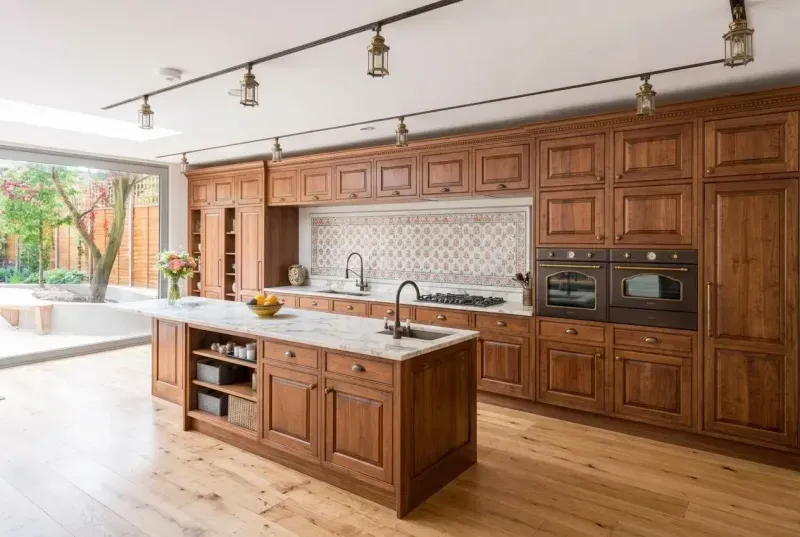
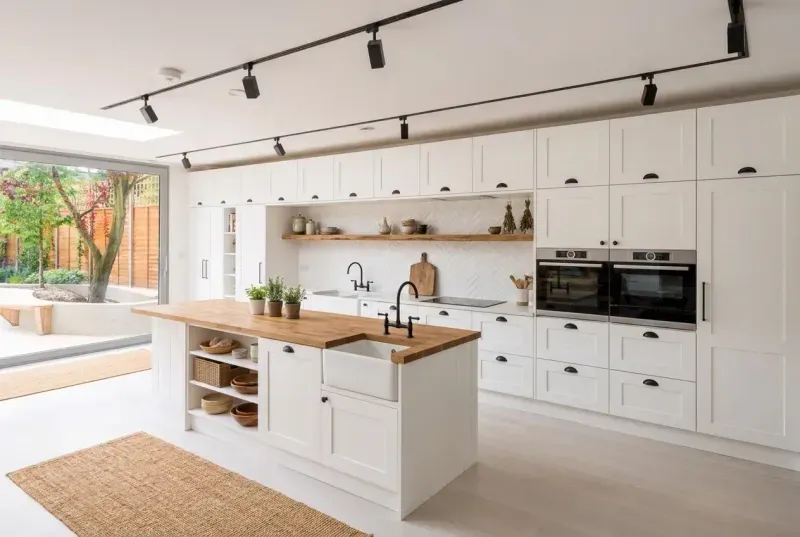
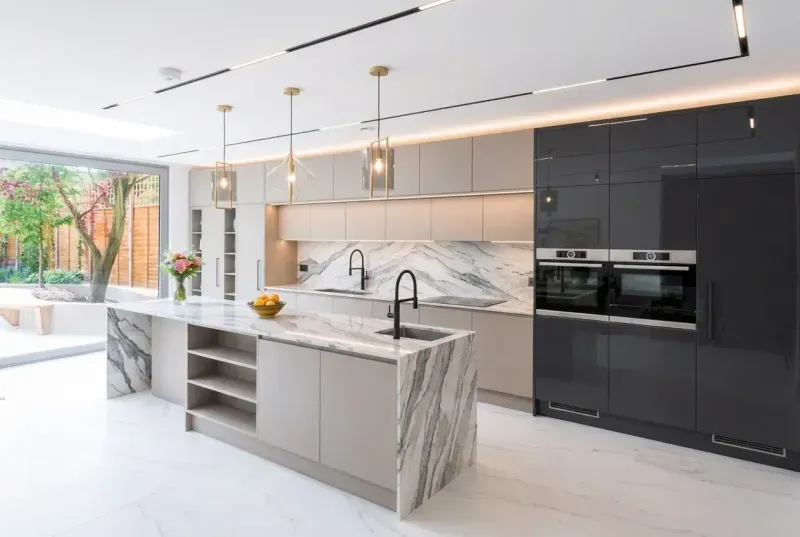
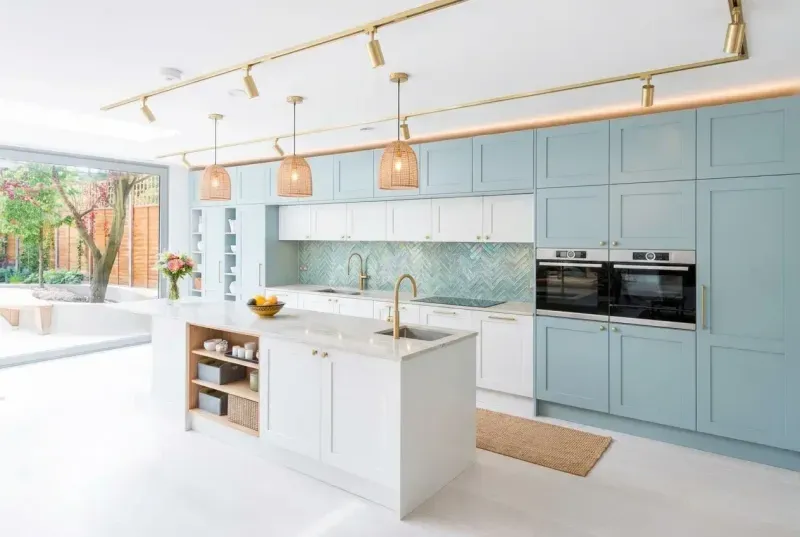
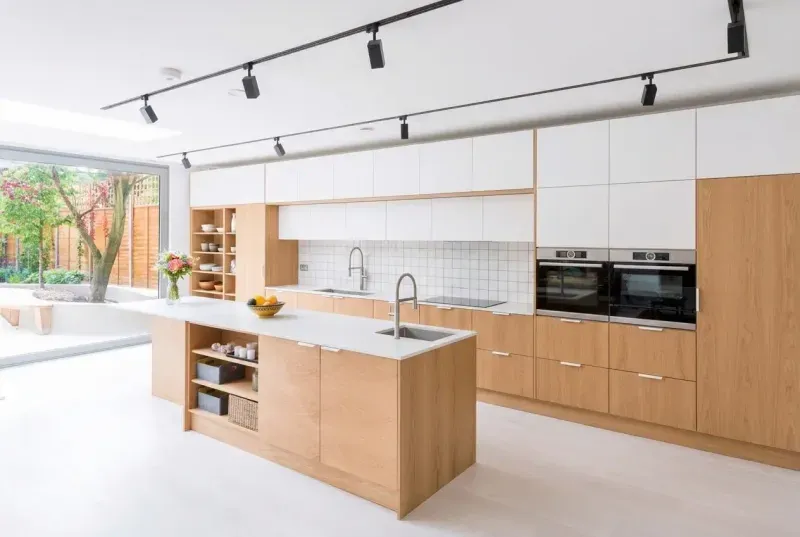
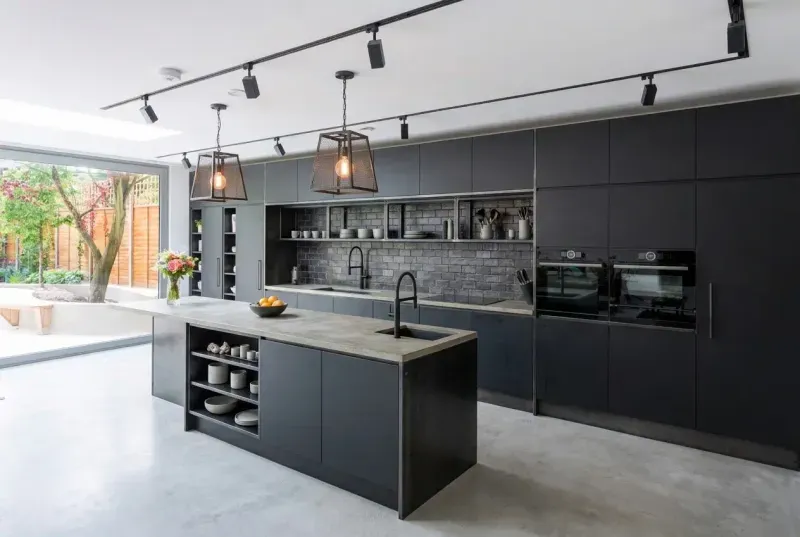
Three designer palettes for every style, like “Modern farmhouse” or “Walnut & gold”, picked in one tap.
Vanity, vanity top, shower tile and fixtures in bathrooms. Walls, windows and layout stay where they are.
After the first design, no more forms: they compare designs side by side and download the one they love.
Your own products
Add a photo, a name and a note for each cabinet color, countertop, tile or hardware finish you sell. Visitors see them before ours, and the AI uses your photo as the reference, so the design shows your product, not a lookalike.
Illustrative example
No moved walls, no new windows or doors, no bigger kitchen. Cabinets stay where they are, and only the style and finishes they picked change.
What you get
Name, email, phone, ZIP and consent come before the design. The lead lands on your Leads Board with an email to you, and the lead page shows their photo and the design for 90 days.
Illustrative example
An email for every new lead, and an option to send each one to your own CRM automatically.
Your business name, brand color, light or dark, and your booking link after every design.
Inside any page, as a floating button on every page, or its own link for ads, emails and QR codes.
The tool only opens on the websites you list, so nobody can copy it onto theirs.
If the month's designs run out, visitors still leave their details. You get an email at 80% and 100%.
How it works
Starter, Growth or Pro, monthly or yearly, on Stripe's secure checkout. Nothing is charged for 14 days, and your portal and code are ready right away.
Tick “Install it for me” and our team adds it to your website and tests it. Or paste one line yourself in a minute.
Each visitor's details, photo and design go to your Leads Board, with an email to you. Call them while they're excited.
A single kitchen or bathroom job is worth far more than a year of any plan. The designer only has to help you win one.
That's what this designer brought in on the website of the kitchen and bath remodeling company we first built it for. Now any remodeler can put it on their own website.
Pricing
Every plan starts with 14 days free and includes free installation. Plans differ by how many designs visitors can make each month and how many of your own products the tool shows.
150 designs a month
14 days free
then$49/month
$499 if paid yearly
400 designs a month
14 days free
then$99/month
$999 if paid yearly
750 designs a month
14 days free
then$149/month
$1,499 if paid yearly
Prices are per tool. Every plan starts with 14 days free, up to 50 designs and one trial per website: your card goes on file, and the plan starts on day 15 unless you turn it off. Want another of our AI tools too? Add it from your portal. Turn it off any time in your portal: during the trial nothing is charged; after it, the tool runs to the end of the period you paid for.
Four simple steps: their photo, a style (each with a real photo), their finishes (cabinets, countertops, backsplash and hardware, or one of 24 curated looks), then their details. About 30 seconds later they get their own room redesigned, with a slider to compare before and after, and a button to book with you.
Yes. In your portal, add a photo, a name and a note for each cabinet color, countertop, tile or hardware finish you sell. Visitors see yours first, and the AI uses your photo as a reference, so the design shows that product rather than a lookalike. Starter shows up to 10, Growth up to 30 and Pro up to 200, and you can switch on “Show only my products” to hide the built-in options where you have your own.
No. Before drawing, the tool reads the photo: walls, windows, doors, cabinets and appliances. The AI keeps all of it where it is and changes only the style and finishes, then a second check compares the design with the photo, and if anything moved it draws once more. Designs are concepts, not plans, so sizes still come from your visit.
Yes. Tick “Install it for me, free” at checkout and our team puts the designer on your website and checks it works. If you'd rather do it yourself, it's one line you paste once, and your code is ready the moment your trial starts.
If you can add a bit of HTML, yes: WordPress, Webflow, Wix, Squarespace, GoDaddy and custom sites all work. It can sit inside a page or open from a floating button on every page. It also gets its own link for ads, emails, texts and QR codes.
You do. Every visitor leaves their name, email, phone and ZIP before seeing a design. Each lead lands on the Leads Board in your ECHVO portal with their photo, the style and finishes they chose, and you get an email for each one. You can also send them to your CRM.
Each design counts once, even when the tool checks it and draws it a second time. A failed design doesn't count, and the count starts over every month. If the month's designs run out, visitors still leave their details and you get the lead; we email you at 80% and 100%.
Yes. Show all 8 styles and both rooms, or only the ones you build. Your business name, brand color, light or dark look and booking link are set from your portal.
No long contract, and the first 14 days are free. Monthly plans renew monthly and yearly plans yearly until you turn them off from your portal; it keeps running to the end of the period you paid for. Upgrade, downgrade or add the window visualizer any time. The Master Services Agreement, accepted at checkout, covers the terms.
Nothing is charged for 14 days. The next page shows your code and the address of your ECHVO portal, and both come by email. If you ticked free installation, our team gets in touch to set it up.
Related
Try it free for 14 days. Your code is ready right away, or tick free installation and we'll do it for you.
Thank you. Your request has been sent, and we’ll be in touch to find a time to talk.
Something went wrong while sending your request. Please try again, or email info@echvo.com.