
Skip to content

Local Services Ads guide · 2026

Google Guaranteed vs. Google Screened: now one Google Verified badge.

If you’re reading about the green Google Guaranteed check mark, you’re reading old news. In October 2025 Google replaced Google Guaranteed and Google Screened with one badge, ended the money-back guarantee, and in 2026 started moving Local Services Ads into Google Ads. This guide explains what changed, how Local Services Ads work for roofers, HVAC companies and remodelers today, what they cost, how they rank, and how to decide if they’re worth it.

Contractor shaking hands with a homeowner inside a home under renovation.
Verified, ranked and paid by the lead.

Local Services Ads in 60 seconds

  • The badge changed: since October 2025, Google Guaranteed, Google Screened and License Verified by Google are one badge, Google Verified [1].
  • The guarantee is gone: Google discontinued the money-back guarantee; only services booked before December 7, 2025 were eligible [2].
  • How you pay: per valid lead, meaning calls, messages and bookings, with prices that vary by location, job type, lead type and bidding mode [3].
  • How they rank: an auction that weighs your bid, your reviews, your response time and the search [4]. Missed calls hurt.
  • What’s next: Local Services Ads are moving into Google Ads as Performance Max campaigns with pay-per-lead goals, in phases from August 2026 through 2027 [5].
  • Worth it? Usually, for contractors who answer fast and have strong reviews. Judge them by cost per booked job.

Summarize this guide with AI

Gemini and Copilot open with the prompt copied. Paste it in to start.

What are Google Local Services Ads?

Google Local Services Ads are pay-per-lead ads for verified local service businesses. They appear at the top of Google Search and on Google Maps, show your badge, rating and reviews, and let homeowners call, message or book you directly. You pay for each valid lead, not for clicks.

Google describes them as “pay-per-lead listings for verified local service providers” [6]. Leads “come in as phone calls and messages sent through your Local Services ad,” and customers can also book through the ad [7]. There are no keywords to choose: Google matches your ad to searches based on the job types and service areas you select.

For contractors, that makes them different from regular Google Ads. With search ads you pick keywords, write ads, send people to your website and pay for every click, whether or not they call. With Local Services Ads you pay when a homeowner actually reaches you. The trade-off is less control: Google decides when to show you, and your reviews and responsiveness carry a lot of weight.

What business owners search for, U.S. monthly

  1. google local services9,400
  2. google guaranteed4,800
  3. google lsa4,600
  4. local services ads4,400
  5. google local services ads1,900
  6. google screened1,400
  7. google verified450
Ahrefs estimates, October 2026 [8]. Ten times more people still search for “google guaranteed” than for “google verified,” the badge that replaced it a year ago.

Google Guaranteed vs. Google Screened: what they were

If you’ve heard of these badges, you’ve probably heard the old explanation: home service pros got Google Guaranteed, professional services got Google Screened. That was true for years:

Local Services Ads badges, then and now
BadgeWho got itWhat it meantStatus today
Google GuaranteedHome service providers, such as roofers, HVAC companies and plumbers [9]Passed Google’s checks, and came with a money-back guarantee for customers, historically capped at $2,000 per customer lifetime [10]Replaced by Google Verified; guarantee discontinued
Google ScreenedProfessional services, such as lawyers, financial planners and real estate agents [11]Passed business checks, with no money-back guarantee [10]Replaced by Google Verified
License Verified by GoogleBusinesses whose license Google checkedA license check onlyReplaced by Google Verified
Google VerifiedEvery business that passes verification, since October 2025 [1]Passed Google’s screening; the ad shows which checks the business passedCurrent

The difference that mattered most to homeowners was the guarantee. Google Screened never came with one [10]. Google Guaranteed did: if a customer booked a covered job through the ad and wasn’t satisfied, Google could reimburse them, historically up to $2,000 over the customer’s lifetime [10]. That promise is what made the green check mark valuable for roofers, HVAC companies and remodelers.

What changed: the Google Verified badge

In August 2025 Google announced that, starting in October, it would unify all Local Services Ads badges, and that “Google Verified will replace other LSA badges and programs, like Google Guaranteed” [1]. Google Screened and License Verified by Google went with it. Existing verified advertisers got the new badge automatically, with “no action” required [12].

Google Verified tells homeowners that a business “has passed Google’s proprietary screening process” [7]. Google says the badge shows “alongside details of which verification checks a business has passed” [1], and that the change didn’t affect how ads rank [12]. There’s no money-back guarantee behind it.

One badge for every verified advertiser. The old split between home services and professional services is gone.

Google also discontinued the money-back guarantee tied to the Google Guaranteed badge [12]. Its reimbursement page now limits claims to services booked before December 7, 2025, submitted within 30 days of the job being completed [2]. So the $2,000 protection you’ll still see mentioned on many websites no longer applies.

Update your own marketing. If your website, truck wraps, ads or proposals still say “Google Guaranteed” or promise Google’s money-back guarantee, change them. The badge and the guarantee no longer exist, and promising them could mislead customers. “Google Verified” is the accurate term today.
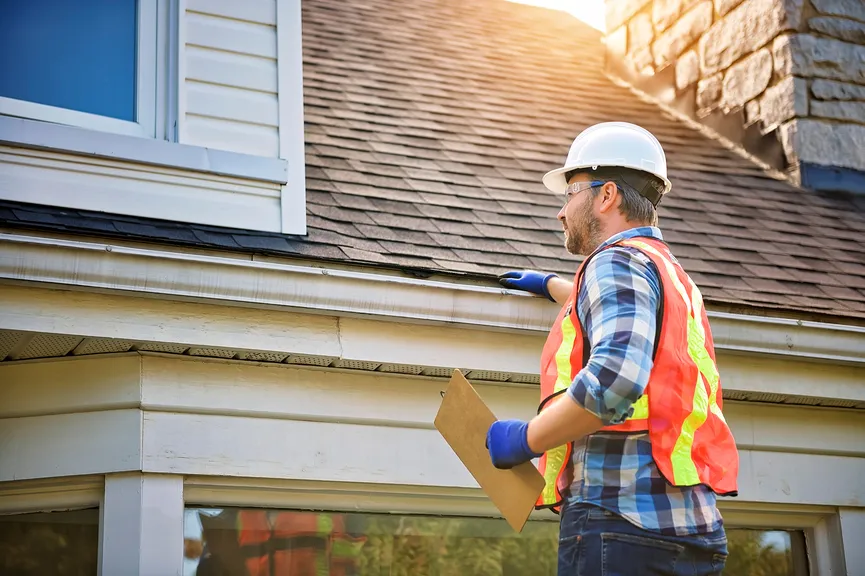
Roofer with a clipboard inspecting a home’s roofline.

Where Local Services Ads show up

Local Services Ads usually sit above everything else on a results page for searches like “roof repair near me” or “AC repair,” and they can appear on Google Maps too. Here’s how they fit with the rest of the page:

Where Local Services Ads show up. The order changes by search and location. Since the 2026 change, Local Services Ads still show only on Google Search and Google Maps.

They’re separate from the free map pack, but connected to it. Your Local Services Ad uses your Google Business Profile: you need a verified profile to advertise [13], and the reviews on your ad come from it [14]. A strong profile helps both. Our Google Business Profile guide for contractors covers how to build one.

How much do Local Services Ads cost?

You’re charged “for each valid lead you receive through your Local Services ad” [3]. What counts as a lead depends on how the homeowner reaches you:

Lead typeWhen you’re charged
Phone callYou answer, or you call back and speak with the customer. A missed call during business hours counts if the caller stays on the line more than 20 seconds [3].
MessageYou receive a text message or email from the customer. Google says message leads are typically priced lower than calls [3].
BookingA customer sends a booking request through your ad (U.S. and Canada only) [3].
Repeat contactNo new charge if the same phone number or email reaches you again within 15 days [3].

How much each lead costs is set by competition. Google says that “when similar local businesses bid on the same lead, those bids determine how much the lead is worth” [15], and that lead prices vary by location, job type, lead type and bidding mode [3]. You set a budget, and Google recommends a minimum of 10 leads per week [15]. You won’t be charged if a caller doesn’t press a key to get routed [3].

Google doesn’t publish cost-per-lead numbers. The only recent benchmark we found that explains its method comes from one marketing agency’s accounts:

Average cost per lead from one agency’s accounts, February 2026

  1. Electrical$39
  2. HVAC$51
  3. Blended, all trades$53
  4. General / all trades$54
  5. Plumbing$57
SearchLight Digital benchmark: 888 home services contractors, 1,774 campaigns and $6.72 million of spend in February 2026, weighted by spend and measured before credits [16]. One agency’s clients over one month, not a market average. Roofing and remodeling weren’t broken out, and Google publishes no cost-per-lead figures.

Treat any cost-per-lead number as a starting point, not a forecast. A lead that becomes a full roof replacement is cheap at almost any price; a lead for a job you don’t do is expensive at any price. Track cost per booked job, by job type.
Which contractors can run Local Services Ads

Local Services Ads are available “only for certain service categories” [7]. In the U.S., the contractor categories include:

  • Roofing
  • HVAC
  • Plumber
  • Electrician
  • Kitchen remodeling
  • Bathroom remodeling
  • General contractor
  • Siding services
  • Window repair
  • Flooring services
  • Countertop services
  • Foundation services
  • Fencing services
  • Painter
  • Handyman
  • Garage door
  • Water damage services
  • Solar energy contractor
  • Landscaping services
  • Tree service

The list comes from Google’s category requirements page [17], where some categories are limited to certain states. There’s no general “home remodeling” category: remodelers advertise under kitchen remodeling, bathroom remodeling or general contractor. Window treatment dealers don’t have a category of their own.

How to get verified

“To participate in Local Services Ads, all businesses must pass Google’s screening and verification process” [18]. For a contractor, it looks like this:

  1. Business ProfileA public, verified Google Business Profile is required.
  2. Owner checksEvery owner completes a criminal background check, run by third-party partners at no charge.
  3. Field workersIn some trades, such as HVAC, plumbing and electrical, field workers are checked too.
  4. License and insuranceState licenses where local law requires them, plus proof of liability insurance.
  5. BadgeAbout 3–4 weeks on average, then the Google Verified badge appears on your ad.
The verification path for a U.S. contractor. Requirements vary by category and state; check your category’s list before you start [17].

A few details trip people up. All owners must complete a criminal background check, and “businesses aren’t charged for the background check” [18]. In applicable categories, such as HVAC, plumbing and electrical, field workers are checked too [17]. Google validates licenses against state databases, and your insurance document “must be active and valid for at least 14 days after the time of submission” [18]. On average, Google says, the process “takes 3–4 weeks to complete after submitting your documents” [17], and you may be asked to repeat checks from time to time [18].

In some categories you can start getting leads after preliminary checks, but Google places those listings below providers who’ve finished all onboarding steps [7].

How Google ranks Local Services Ads

Many guides still list “proximity, reviews, responsiveness, hours and complaints” as the ranking factors. Google’s current help page describes something more specific: an auction [4].

Your bid

The most you’re willing to pay for a lead. You may pay less [4].

  • Set by Google with Maximize leads
  • Or capped manually (until your account moves)
  • Higher bids can raise your position

Likelihood of a lead

How likely your ad is to bring a lead [4].

  • Rating and number of reviews
  • Average response time; missed calls hurt
  • Photos and verification checks

Search context

What the customer searched, when and where [4].

  • The job or service searched
  • Time of the search
  • Location of the customer
How Google says Local Services Ads are ranked: an auction that weighs your bid, how likely you are to get the lead, the search context and your relevance, and the overall health of the system [4].

Two lines on that page matter most for contractors. First: “Missed calls may negatively affect your responsiveness.” Second: “Higher quality profiles, including those with images, may rank higher and may also pay lower costs per lead” [4]. Google also says that if you regularly fail to answer calls or respond to messages, your ranking may be affected [7], and that serious or repeatedly negative customer feedback can lower it [19]. Distance still plays a role; a Google article for advertisers says the closer you are to the customer, the more likely they are to see your ad [20].

In practice, the cheapest way to improve your position is rarely a higher bid. It’s answering every call during business hours, adding real photos, and earning steady reviews. Our speed to lead guide covers how to answer faster without hiring.

Reviews: they come from your Business Profile

Local Services Ads used to collect their own reviews. Today Google says your customer reviews “are managed through Google Business Profile Manager, not your Local Service Ads account” [21], and the reviews on your ad include the reviews from your Business Profile [14]. “Star ratings and number of reviews affect how your business is ranked,” and Google recommends five or more [22].

So the review habit you build for the map results pays off twice. Ask every customer, the same day the job is done, with your direct review link. Don’t offer anything in exchange: Google’s content policy prohibits incentivized reviews [23], and the FTC’s rule on consumer reviews, in effect since October 2024, bans fake reviews and incentives tied to a positive or negative review [24].

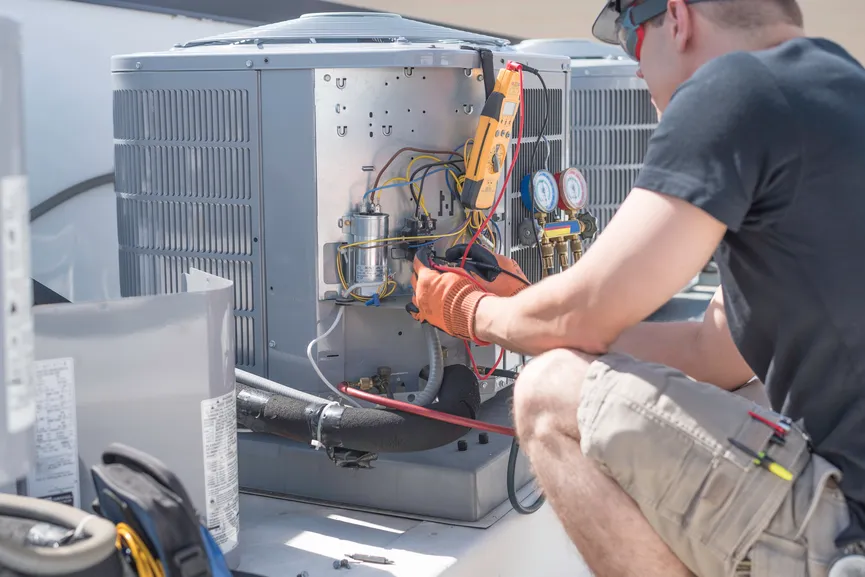
HVAC technician servicing an outdoor air conditioning unit.

Bad leads and automatic credits

You’ll still get some bad leads: wrong numbers, spam, people looking for a job you don’t do. Google no longer runs a manual dispute process for most advertisers. Instead, leads “may be issued credits automatically if later determined to be low quality,” and leads judged invalid or low quality aren’t charged [25]. Credits usually reach your account within 30 days [25].

One change catches many contractors out: Google “no longer supports credits for ‘job type not serviced’ and ‘geo not serviced’ leads” [25]. If you leave a job type turned on that you don’t do, or a service area you don’t cover, those leads are yours to pay for. Review your job types and service areas when you set up, and again every few months.

Are Local Services Ads worth it for contractors?

For many roofers, HVAC companies and remodelers, yes, but only when the basics are in place. The format rewards the businesses that answer fast and have strong reviews, and it punishes the ones that don’t, because missed calls and thin profiles lower your ranking and can raise your costs:

Good fit

When Local Services Ads tend to pay off

  • You answer the phone during business hours, fast
  • Your Google Business Profile has plenty of recent reviews
  • You do the core jobs in your category, across a broad area
  • You want leads without building keyword campaigns
  • You track which leads become booked jobs
Poor fit

When they usually don’t

  • Calls go to voicemail or a busy office line
  • Few reviews, or a rating below your competitors
  • You only want one narrow, high-ticket job type
  • Your service area is tiny or hard to define
  • You can’t tell good leads from bad ones after the call
Local Services Ads reward responsiveness and reviews. If those aren’t in place yet, fix them first; the ads will cost less afterward.

Local Services Ads also work best as one channel among several. They catch homeowners who are ready to hire right now. Your website and SEO catch the ones still researching, and regular Google Ads let you target specific high-value jobs, like roof replacements or system installs, with your own landing pages. Compare all of them on the same number: cost per booked job.

Setup and monthly routine

If you decide to run them, this is the routine that keeps costs down and leads relevant:

Before you start

Get eligible

  • Verify your Google Business Profile and fix your name, category, hours and service area.
  • Ask recent customers for Google reviews. Google recommends five or more.
  • Gather license and insurance documents; insurance must be valid at least 14 days past submission.
  • Decide who answers calls during business hours, and how fast.
First 30 days

Set it up right

  • Select every job type you actually do, and only those.
  • Set service areas broadly, like whole counties, but only where you work.
  • Turn on message leads; add booking if you use a supported scheduling partner.
  • Add real photos of your crew, trucks and finished work.
Every month

Manage it

  • Rate every lead in the dashboard and mark booked jobs.
  • Watch response time and missed calls.
  • Compare cost per booked job with your other lead sources.
  • Pause the ad when you’re at capacity instead of missing calls.
A simple Local Services Ads routine. Most of the work is answering fast and keeping reviews and job types accurate.

Two policies are worth knowing before you start. You can schedule ads for business hours only; outside your schedule, a free version of your listing may still show [29]. And Google requires you to disclose diagnostic charges and trip fees, forbids reselling leads, and prohibits diverting customers to a different phone number to avoid paying for a lead [30]. Booking through your ad requires one of Google’s scheduling partners [31].

Common Local Services Ads mistakes

  • Still advertising “Google Guaranteed” or Google’s money-back guarantee on your site, trucks or ads.
  • Letting calls go to voicemail during business hours. Missed calls hurt your ranking, and you may still pay for them.
  • Leaving job types or areas turned on that you don’t serve. Those leads no longer get credited.
  • Ignoring reviews because “that’s the Business Profile.” Your ad shows the same reviews.
  • Judging by cost per lead instead of cost per booked job.
  • Not exporting your reports before your account moves to Google Ads.
  • Offering rewards for reviews [23].
  • Relying on Local Services Ads alone when your website, profile and search ads could catch homeowners earlier.

Local Services Ads FAQ

Does Google Guaranteed still exist?

No. In October 2025 Google replaced Google Guaranteed, Google Screened and License Verified by Google with a single Google Verified badge. Google also discontinued the money-back guarantee; only services booked before December 7, 2025 were eligible, with claims due within 30 days of the job.

What’s the difference between Google Guaranteed and Google Screened?

Google Guaranteed was the badge for home service providers like roofers, HVAC companies and plumbers, and it came with a money-back guarantee for customers. Google Screened was the badge for professional services like lawyers, financial planners and real estate agents, with no guarantee. Both were replaced by the Google Verified badge in October 2025.

How much do Google Local Services Ads cost?

You pay for each valid lead, and Google says prices vary by location, job type, lead type and bidding mode. Google doesn’t publish cost-per-lead figures. One agency’s February 2026 benchmark of 888 contractors found an average of about $51 per lead for HVAC and $53 across all trades before credits, but roofing and remodeling weren’t broken out.

How do I get the Google Verified badge?

Sign up for Local Services Ads with a verified Google Business Profile, then pass Google’s screening: owner background checks, plus field worker checks in some trades, and license and insurance checks where your category and state require them. Google says it takes about three to four weeks on average. Background checks are free.

Can I get a refund for a bad Local Services Ads lead?

Google now credits leads automatically when it later decides they were invalid or low quality, usually within 30 days. It no longer credits leads for job types you don’t do or areas you don’t serve, so keep your job types and service areas accurate.

Are Local Services Ads moving to Google Ads?

Yes. Google is moving them into Google Ads as Performance Max campaigns with pay-per-lead goals, starting with select home and storefront service businesses in August 2026, then service-area businesses in late 2026, and everyone else in 2027. You still pay per lead, and your badge and verification carry over, but save your old performance reports first.

Do Local Services Ads help my map rankings?

Not directly. They’re ads, separate from the free map results. They do share your Google Business Profile, though: your reviews, name, address and hours come from it, so improving your profile helps both.

Which contractors can run Local Services Ads?

In the U.S., categories include roofing, HVAC, plumbing, electrical, kitchen remodeling, bathroom remodeling, general contractors, siding, window repair, flooring, painting and more. There is no general home remodeling category; remodelers use kitchen remodeling, bathroom remodeling or general contractor.

Sources

We link every fact in this guide to the page it came from, mostly Google’s own help pages. Google updates these pages often and many show no date, so check them before you make a big decision. Search volumes are Ahrefs estimates for the United States.

  1. Google: Introducing the Google Verified badge for Local Services Ads (August 20, 2025)
  2. Google Local Services Ads Help: Google Guarantee reimbursements
  3. Google Local Services Ads Help: How you’re charged for leads
  4. Google Local Services Ads Help: How ads are ranked
  5. Google Ads Help: Local Services Ads are moving to Google Ads
  6. Google for Business: Local Services Ads
  7. Google Local Services Ads Help: Getting started with Local Services Ads (United States)
  8. Ahrefs Keywords Explorer: U.S. search volumes pulled by ECHVO, October 2026
  9. Google Local Services Ads Help: Google Guaranteed (legacy definition)
  10. Search Engine Land: What is Google Screened and how does it differ from Google Guaranteed? (August 22, 2019)
  11. Search Engine Land: Google rolling out LSAs and Google Screened to select professional services nationally (July 28, 2020)
  12. Google Local Services Ads Help: About the Google Verified badge
  13. Google Local Services Ads Help: Google Business Profile requirement
  14. Google Local Services Ads Help: Reviews on your ad
  15. Google Local Services Ads Help: Bidding and budgets
  16. SearchLight Digital: Google Local Services Ads cost per lead benchmark, February 2026 data (March 9, 2026)
  17. Google Local Services Ads Help: Business requirements by category (United States)
  18. Google Local Services Ads Help: Screening and verification
  19. Google Local Services Ads Help: Customer feedback and ranking
  20. Google for Business: Build your online presence with Local Services Ads (August 2025)
  21. Google Local Services Ads Help: Customer reviews
  22. Google Local Services Ads Help: Tips to get more leads
  23. Google Maps User Contributed Content Policy: Prohibited and restricted content
  24. Federal Trade Commission: Final rule banning fake reviews and testimonials (August 14, 2024)
  25. Google Local Services Ads Help: Lead credits
  26. Search Engine Land: Local Services Ads come to Google Ads via Performance Max (July 20, 2026)
  27. Google Ads Help: Supported categories for Performance Max campaigns with pay-per-lead goals
  28. Google Ads Help: About Performance Max campaigns with pay-per-lead goals
  29. Google Local Services Ads Help: Ad schedule
  30. Google Local Services Ads Help: Local Services Ads policies
  31. Google Local Services Ads Help: Bookings
  32. Google Search Central: Preferred sources

See more ECHVO guides in Google

Add ECHVO as a preferred source, and Google will be more likely to show our articles in Top Stories when they’re relevant to your searches [32].

Add ECHVO as a preferred source on Google

Free Local Services Ads review

Are your Local Services Ads
paying for themselves?

We’ll review your Local Services Ads or your readiness for them: verification, job types, service area, reviews, response time and cost per booked job. Then we’ll show you what to fix first. No cost, no obligation.

Get your free LSA review

Send your website, your trade and the areas you serve.

By submitting this form, you agree that ECHVO may call and email you at the phone number and email you provide about your request and our services, including with automated technology. Consent is not a condition of purchase.

Thank you. Your request has been sent, and we’ll be in touch to find a time to talk.

Something went wrong while sending your request. Please try again, or email info@echvo.com.