Their own windows
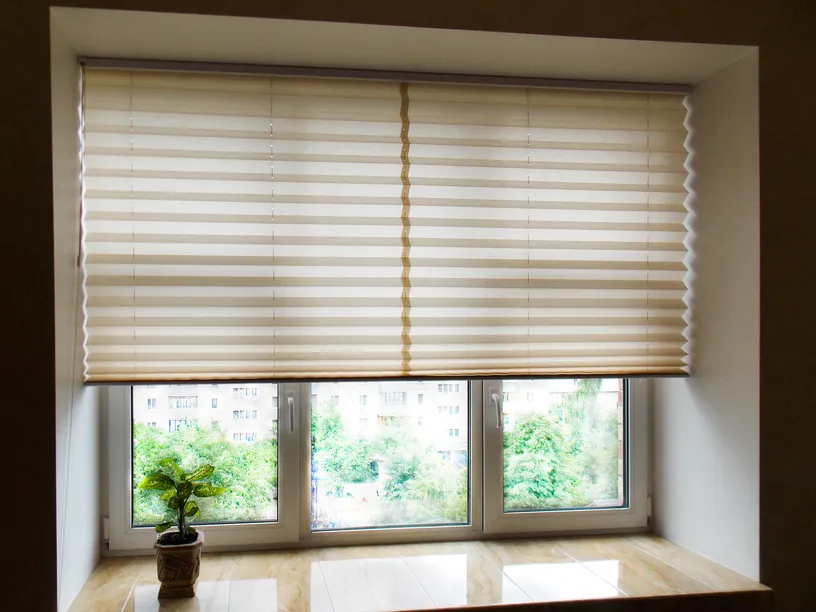
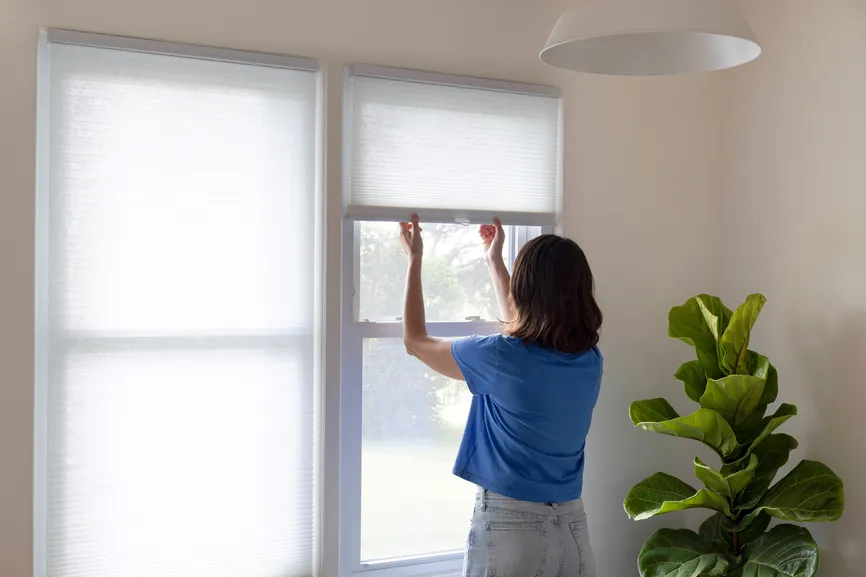
Not a stock photo. Their room, their windows, in the product, fabric and position they picked.
AI window treatment visualizer for dealers
Put an AI visualizer on your website. Homeowners upload a photo, pick a product and one of 64 colors, fabrics and finishes, and see it on their own windows in about 30 seconds. To see it, they leave their name, phone, email and ZIP. You get the lead and know exactly what they want.

Illustrative example
Tick “Install it for me” at checkout and our team puts the visualizer on your website, matches your colors and tests it with you. No developer, no code, no extra charge.
Why it works
A swatch on a screen doesn't sell a shade. Seeing it on their own window does. The visualizer gives visitors a reason to stay, and a reason to hand you their details.
Not a stock photo. Their room, their windows, in the product, fabric and position they picked.
A contact form feels like a sales call. Seeing new shutters on their own windows is worth a name and a phone number.
Every lead arrives with their photo, product, color and position, so your consultation starts with samples they already like.
Live demo
This is the exact tool your visitors will use, running live. It asks for details first, because that's how the lead reaches you.
Like it? It can be on your website today, installed free. Get it for your website
The swatch library
Linen, velvet, sheers, woven woods, stains and more, each shown as a real texture. Every product only offers the materials it actually comes in, and behind the scenes each pick becomes a detailed brief for the AI.
Turn on the products you carry. No brand names, so it fits any lines.
Plus inside or outside mount, so the design matches how you'd install it.
One-tap looks like “Warm natural” or “Hotel calm” for visitors who don't know where to start.

What you get
Name, email, phone, ZIP and consent come before the design. The lead lands on your Leads Board with an email to you, and the lead page shows their photo and the design for 90 days.
Illustrative example
An email for every new lead, and an option to send each one to your own CRM automatically.
Your business name, brand color, light or dark, and your booking link after every design.
Inside any page, as a floating button on every page, or its own link for ads, emails and QR codes.
The tool only opens on the websites you list, so nobody can copy it onto theirs.
If the month's designs run out, visitors still leave their details. You get an email at 80% and 100%.
How it works
Starter, Growth or Pro, monthly or yearly, on Stripe's secure checkout. Your portal and code are ready the moment you pay.
Tick “Install it for me” and our team adds it to your website and tests it. Or paste one line yourself in a minute.
Each visitor's details, photo and design go to your Leads Board, with an email to you. Call them while they're excited.
A single shutters or shades order for a few rooms is worth more than a year of the Starter plan. The visualizer only has to help you win one.
We first built this visualizer for a window treatment dealer. Now any dealer can put it on their own website.
Pricing
Plans differ by how many designs visitors can make each month. Every plan includes free installation.
150 designs a month
$49/month
$499 if paid yearly
400 designs a month
$99/month
$999 if paid yearly
750 designs a month
$149/month
$1,499 if paid yearly
Prices are per tool and paid today; there's no free trial. Want the kitchen & bath designer too? Add it from your portal. Turn it off any time; it runs to the end of the period you paid for.
Four simple steps: their photo, a product, a color or fabric from the swatch library with open, half open or closed and inside or outside mount, then their details. About 30 seconds later they see it on their own windows, with a slider to compare before and after, and a button to book with you.
Yes. Tick “Install it for me, free” at checkout and our team puts the visualizer on your website and checks it works. If you'd rather do it yourself, it's one line you paste once, and your code is ready the moment you pay.
Yes. Turn on only the products you carry. Each product only offers the materials it really comes in: velvet for drapery and roman shades, metal for aluminum blinds, screens for solar shades. No brand names are shown, so it fits whatever lines you sell.
If you can add a bit of HTML, yes: WordPress, Webflow, Wix, Squarespace, GoDaddy and custom sites all work. It can sit inside a page or open from a floating button on every page, and it gets its own link for ads, emails, texts and QR codes.
You do. Every visitor leaves their name, email, phone and ZIP before seeing a design. Each lead lands on the Leads Board in your ECHVO portal with their photo and the product, color and position they chose, and you get an email for each one. You can also send them to your CRM.
Each design the tool makes counts once. A failed design doesn't count, and the count starts over every month. If the month's designs run out, visitors still leave their details; we email you at 80% and 100%.
No long contract. Monthly plans renew monthly and yearly plans yearly until you turn them off from your portal; it keeps running to the end of the period you paid for. The Master Services Agreement, accepted at checkout, covers the terms.
The next page shows your code and the address of your ECHVO portal, and both come by email. If you ticked free installation, our team gets in touch to set it up.
Your code is ready the moment you pay, or tick free installation and we'll do it for you.